
Orfeo is a free Windows app that turns any MIDI file into a piano lesson: the notes fall onto a keyboard, the harmony is named as it plays, and you can reshape the file into exactly the practice material you need. This page explains what Orfeo does, what it asks of you (nothing) and how this manual is organised.
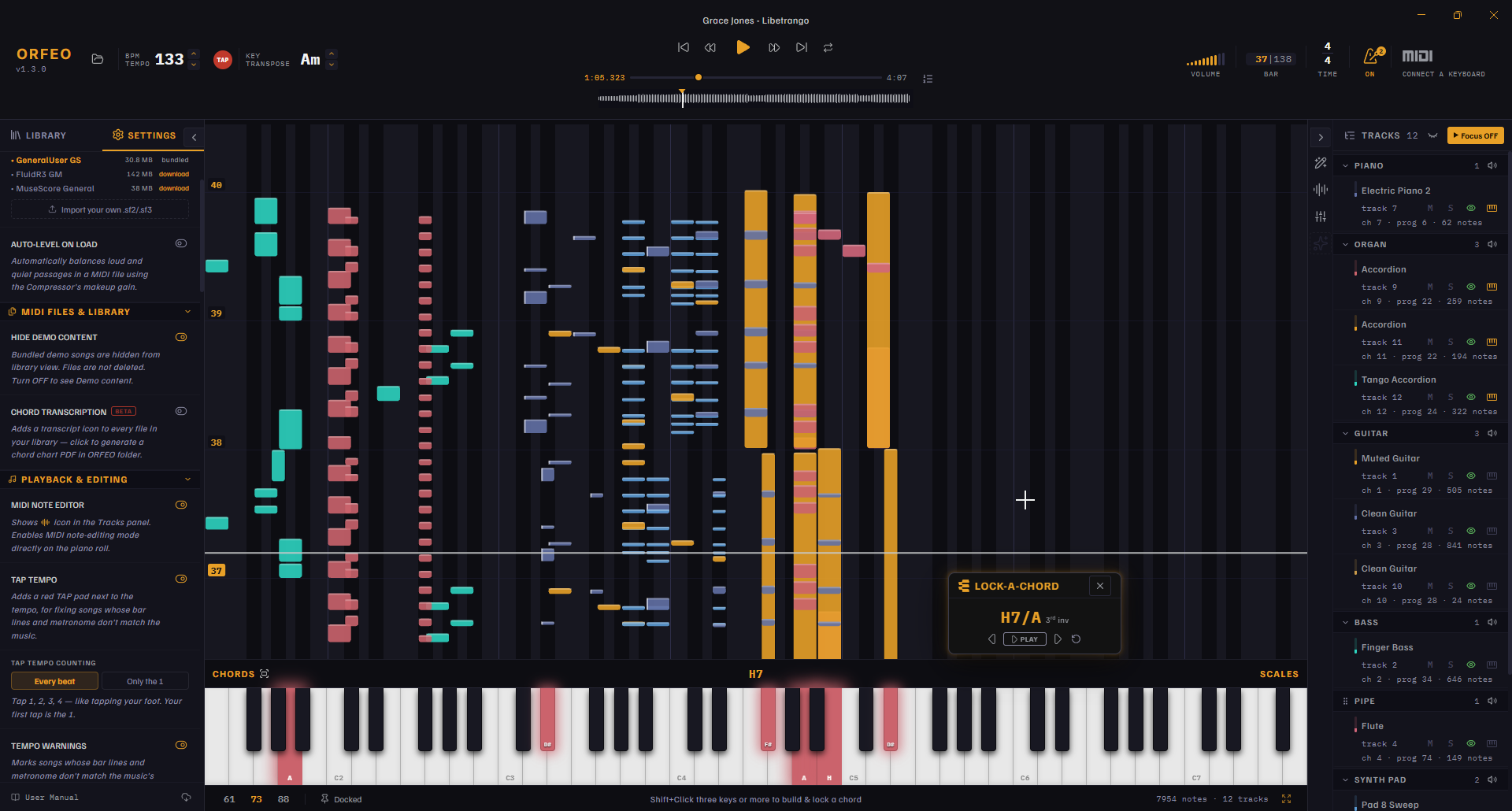
What Orfeo does
Everything in Orfeo follows the path from a raw MIDI file to a lesson you built yourself. The manual follows the same four stages:
Stage | What you do | Written to the file? |
|---|---|---|
Load a file, listen, slow it down, loop a passage, change the key, show or hide parts. | No, session only | |
Clean up tracks, split a piano part into two hands, fix single notes, set the mix. | Yes, as a new version; the original is never touched | |
Follow the chords, read ahead with the Chord Prompter, explore chords and scales, play along on your own keyboard. | No | |
Keep your library tidy with favourites, folders, search and per-file history. | Preferences only |
Free, private and offline
What you need
Using this manual
Stuck? The Support section covers troubleshooting and how to reach me.
Where Orfeo comes from
Orfeo started as a spiritual successor to Rondo, a much-loved macOS MIDI player that is no longer available. It is built and maintained by one independent developer, so bug reports and ideas go straight to the person who writes the code.
Orfeo is built with care by one independent developer – me, Aleš. It is powered by curiosity, love of music, stubbornness, and probably more coffee than strictly necessary. Enjoying Orfeo? Help me keep developing the app. Because every little bit helps us strike the right chord and keep the music going. Thanks for your support. You’re a note above the rest! · Buy me a coffee